Keeping Providers
Connected: Dialpad
How an insession dial pad eliminated session drop-offs and transformed the way healthcare providers connect to interpreters and IVR systems — without ever leaving the visit.
Role
Discovery, Research, Design
Platform
eVisit
Timeline
4 weeks
01— THE PROBLEM
Providers were dropping out of sessions to make a phone call.
Healthcare providers using telehealth needed to connect to interpreters and navigate IVR systems during live video sessions. But the existing workflow forced them to leave the visit entirely — disrupting care, confusing patients, and creating unnecessary friction during critical moments.
The primary users were providers, but any change had to account for the experience of patients, interpreters, and other participants in the session. A disruption for one was a disruption for all.
Every time a provider left the session to dial out, the patient was left staring at an empty screen , trust eroding with every second of silence.
02— DISCOVERY
Listening before designing.
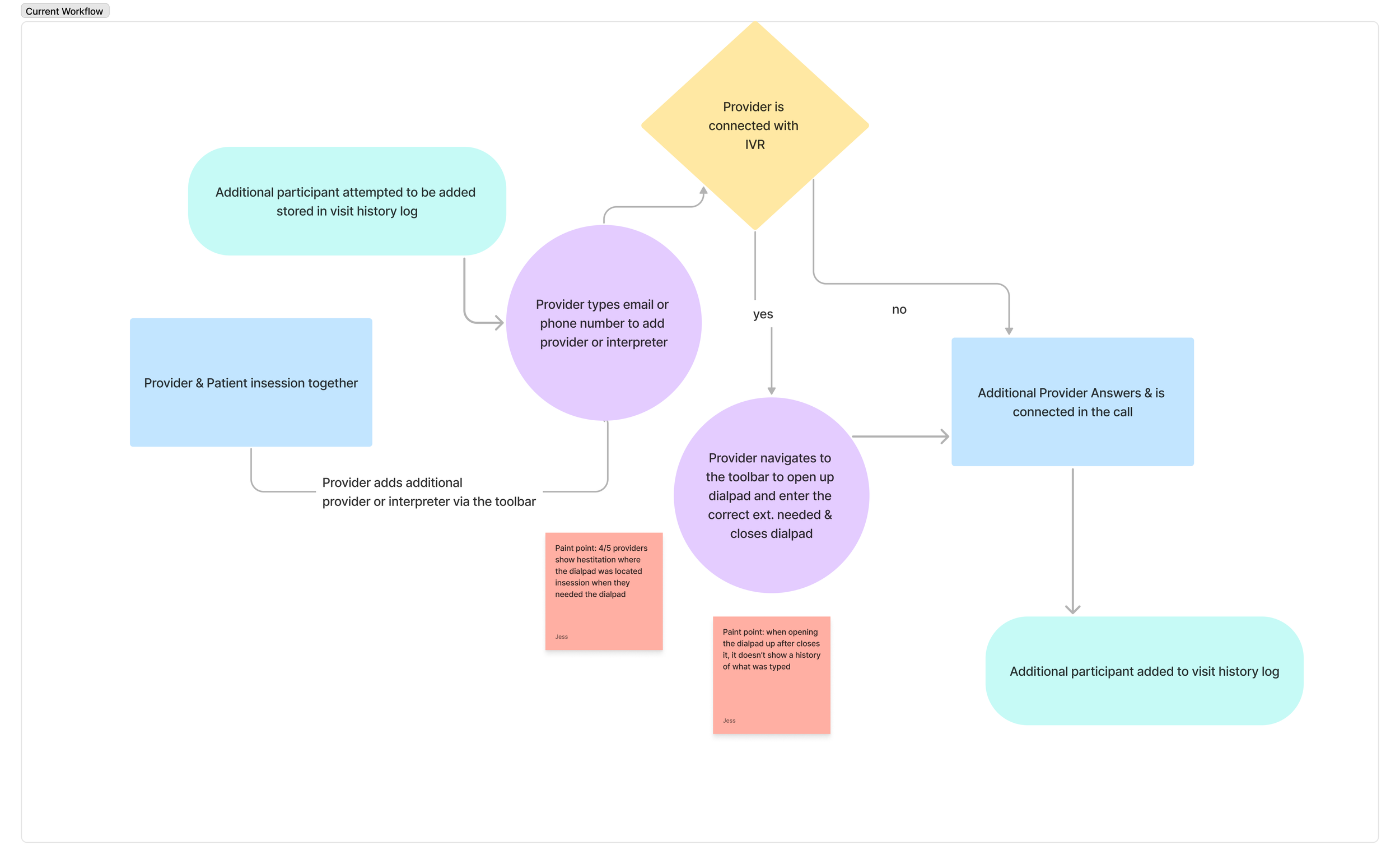
I began with 5 moderated user interviews and usability sessions with providers using the existing Bluestream product. I joined sessions as a participant, watching providers attempt to add interpreters and navigate IVR menus in real time.
Many providers also used competing platforms like Doximity as fallback solutions , this was a signal that the current experience wasn't meeting their needs. I mapped the existing workflow to expose where breakdowns occurred.
Hidden Functionality
The existing dial pad worked, but providers consistently hesitated while searching for it. It wasn't where they expected it to be.
No Call History
Once the dial pad was closed, previously typed numbers disappeared. There was no record, no feedback, and no way to redial.
04— STANDARDS REVIEW
What the evidence said.
I reviewed telehealth and video conference standards to ground my design decisions in established best practices.
Competitor Insight
Backup platforms like Doximity attached the dial pad to a phone number rather than the entire session and providers found it instantly.
→ Stay In-Session
Dial pad interactions should live within the video session — not require a separate call that breaks the care flow.
→ Clear Feedback
The experience must communicate when IVR input is required and confirm that each input was received successfully.
05— RESEARCH
Learning from the landscape.
Amwell
Exposes a dial pad during active sessions, supporting real-world workflows like calling patients or adding interpreters mid-visit.
Platforms that exposed a dialpad during an active session better supported real-world clinical workflows.
Two concepts. One clear winner.
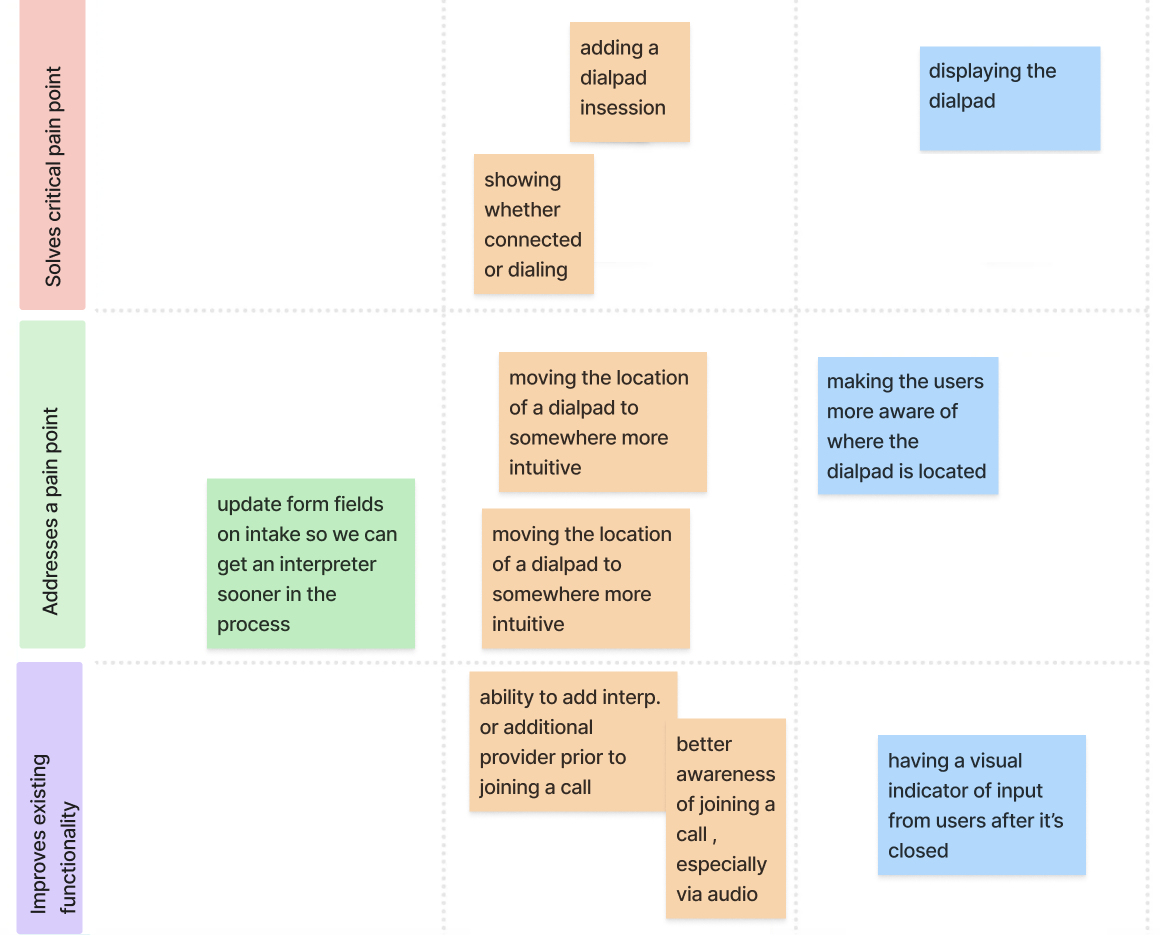
Partnering with the program manager and engineering lead, I facilitated a feature prioritization canvas to align on technical feasibility, user needs, and business impact. From there, I designed two distinct approaches and tested them.
06— VALIDATION
↓40%
Time to locate dial pad
Pre-Session Interpreter
Explore opportunities to integrate adding an interpreter before the session starts , reducing invisit friction even further.
→Reduce Cognitive Load
Keeping the dial pad in-session preserves mental context, so providers can focus on the patient rather than the interface.
→ Accessible & Dismissible
Available on demand, visually restrained, easy to close — never interrupting the ongoing conversation.
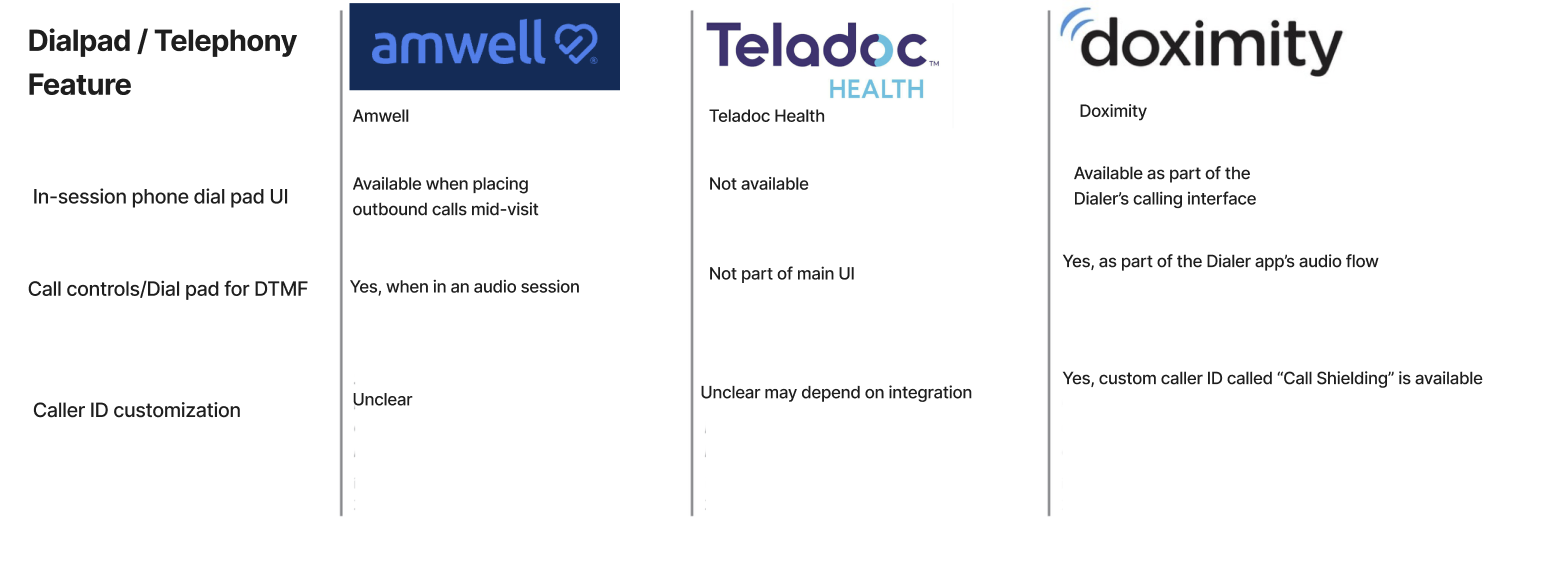
I created a competitive matrix comparing dial pad and telephony capabilities across Amwell, Teladoc, and Doximity ; three platforms our providers have used regularly.
Doximity
Audio-first workflow with built-in dial pad and call shielding. Lightweight, intuitive, and the provider favorite as a backup tool.
Teladoc
Separate phone and video visits with no obvious in-session dial pad. Relies on pre-visit setup, adding friction during live care.
05— IDEATION
Concept A: Tiered Modal with dialpad on hover
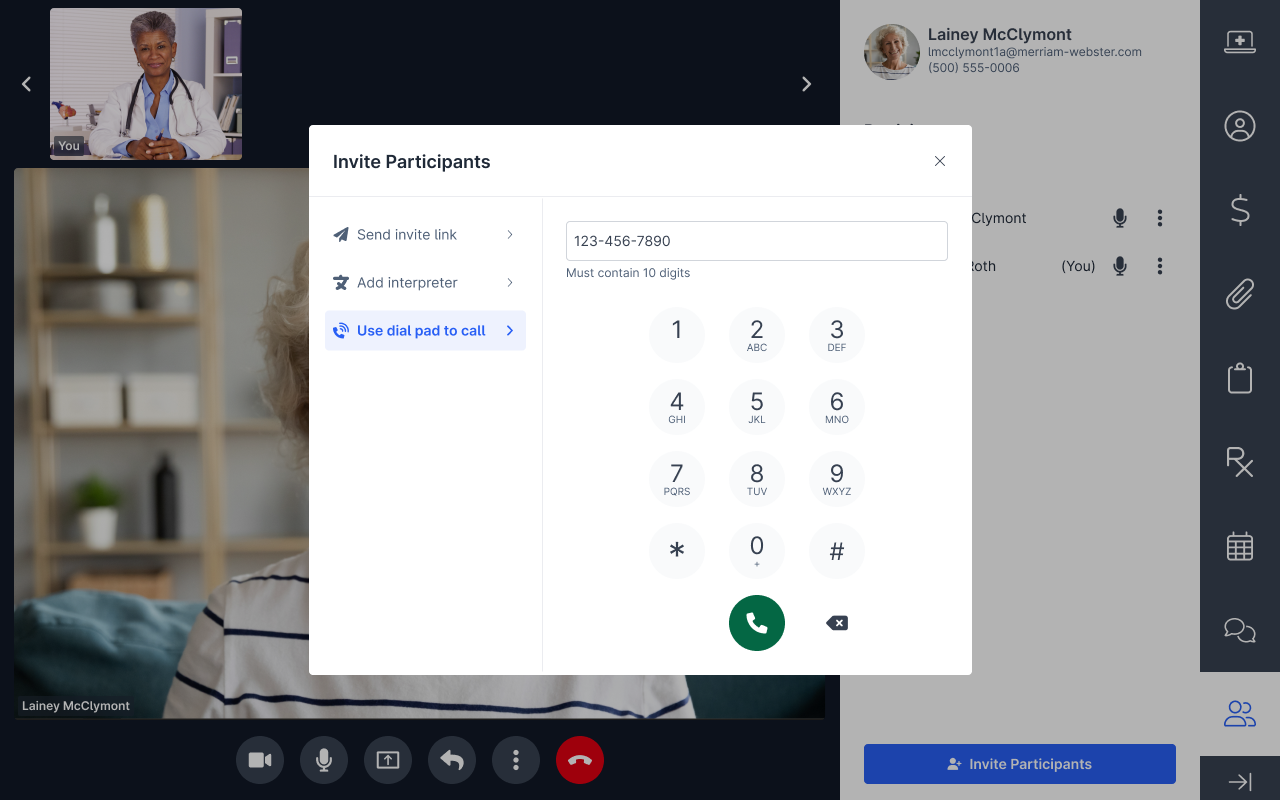
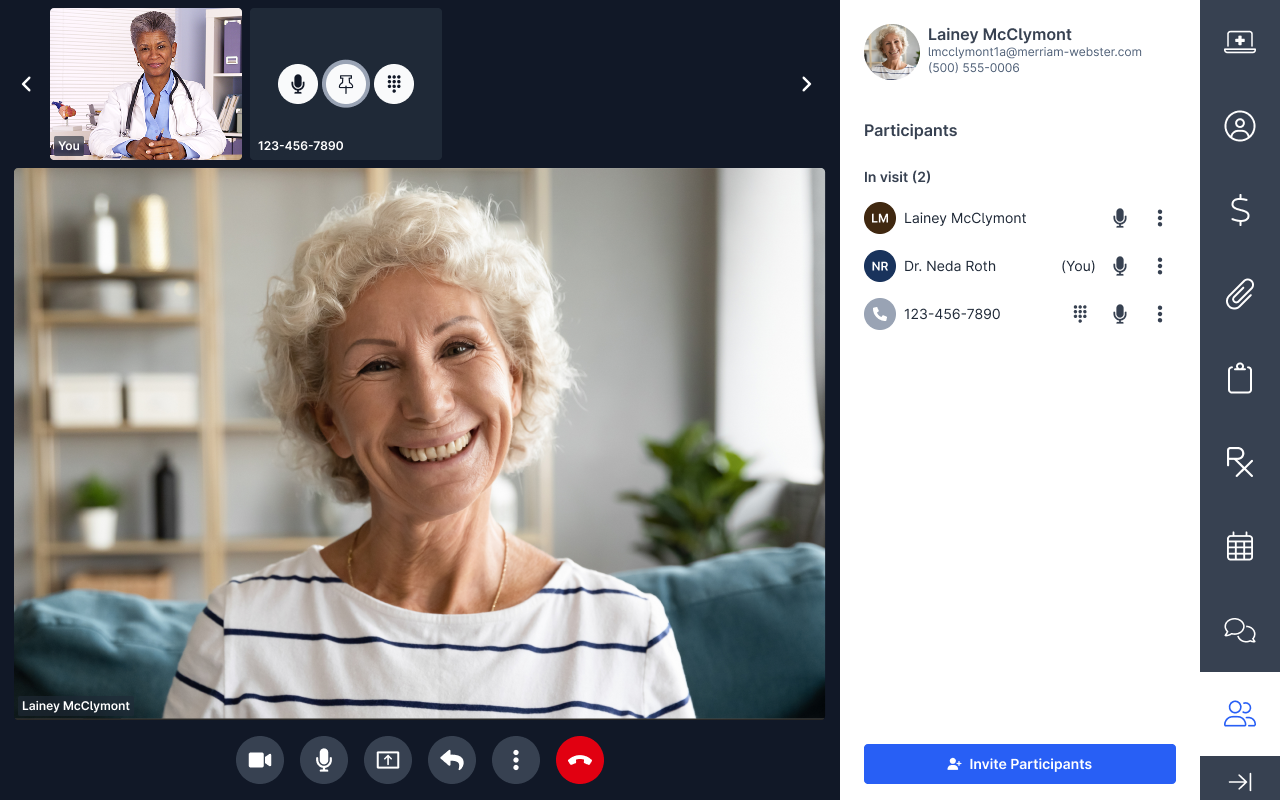
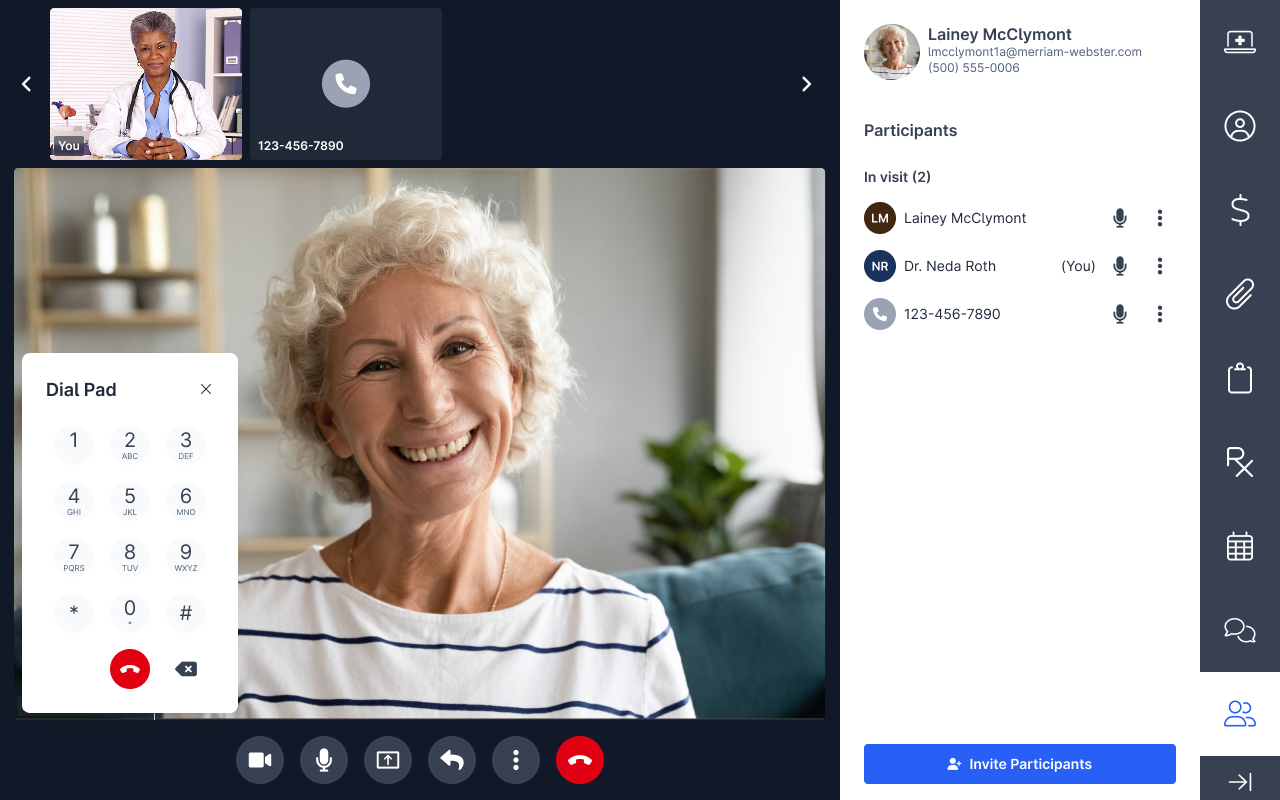
The invite participants modal would use tiered styling with the dial pad as a third option. Reopening required hovering over a participant. The drawback: it didn't solve discoverability, and added complexity with multiple entry points.
Concept B- Calling Awareness Bar
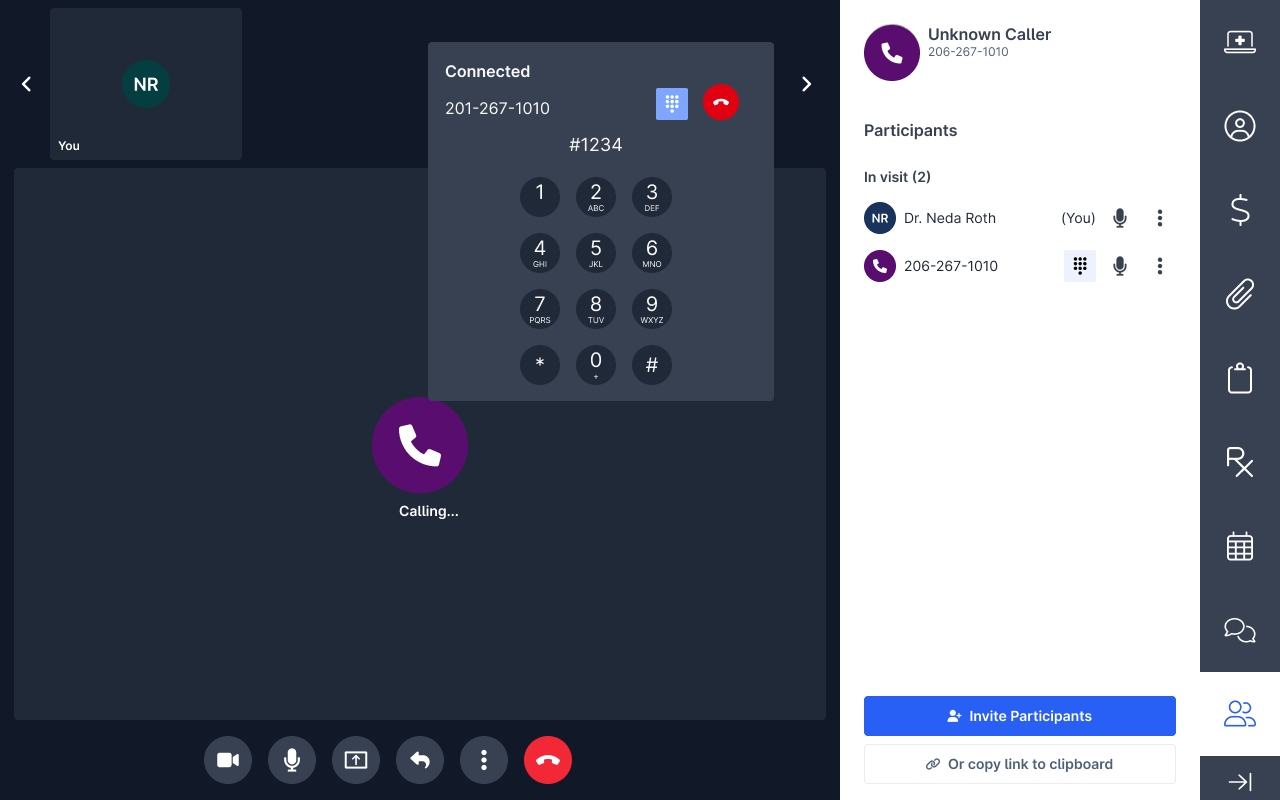

After dialing, a persistent calling awareness bar appears in the top-right corner showing call status. The dial pad is reopened directly from this bar. It also includes an intuitive hang-up option — no changes to the invite modal needed.
MVP
The data spoke clearly.
Usability testing revealed that Concept B significantly outperformed across every metric that mattered. Providers found the dial pad faster, made fewer errors, and expressed stronger confidence in the workflow.
↓60%
Fewer Hesitations
5/5
Provider Preference
Concept B reduced the time providers spent looking for the dial pad and led to zero hesitations or misclicks , a decisive improvement over the current experience.
07— WHAT’S NEXT
The story continues.
Call Shielding & Favorites
Build quick dial favorites so providers can reconnect to frequent interpreters in one tap. Add ability to shield providers phone number if they are using their own personal device.