Audio to Video
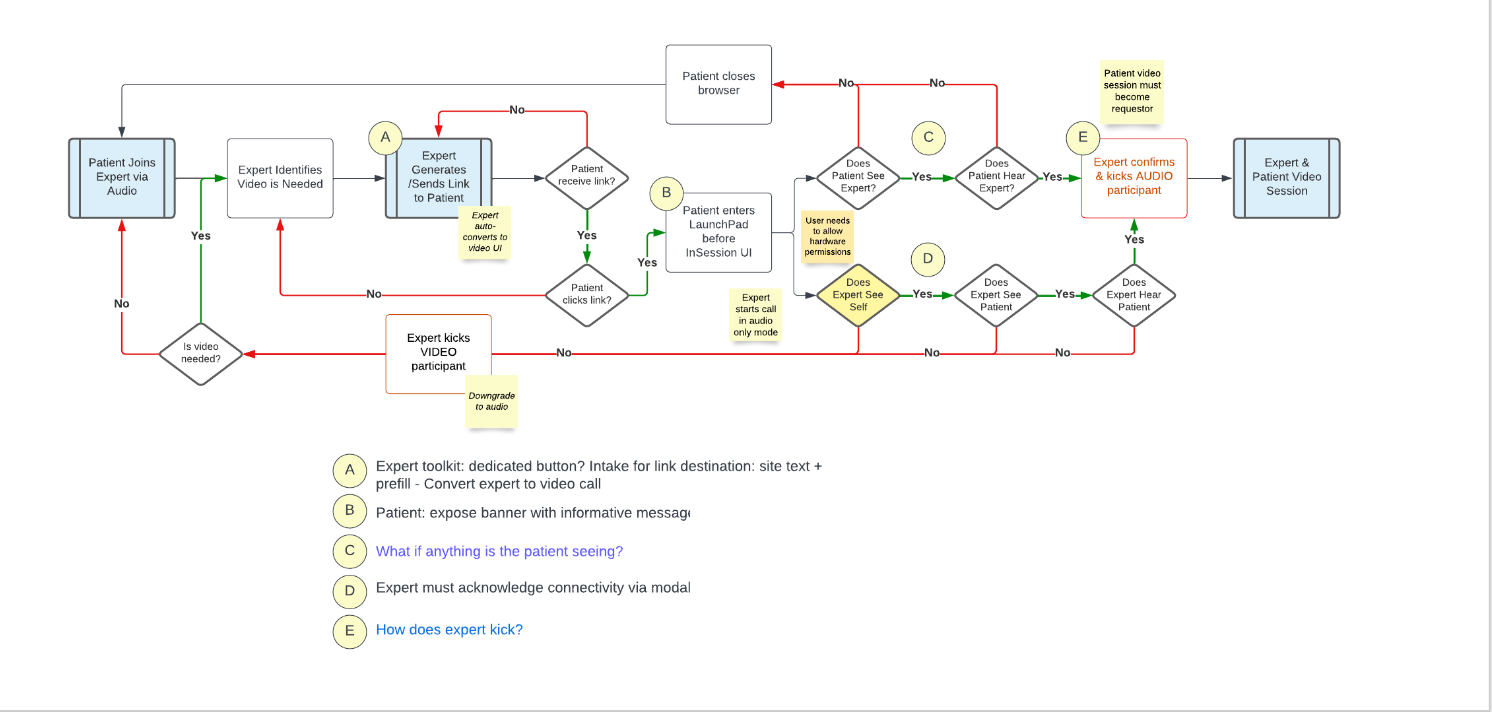
Created a workflow that would allow for participants of telehealth visits to convert from an audio session to a video session seamlessly without needed to launch a new visit.
Role
Discovery, Research, Design
The User
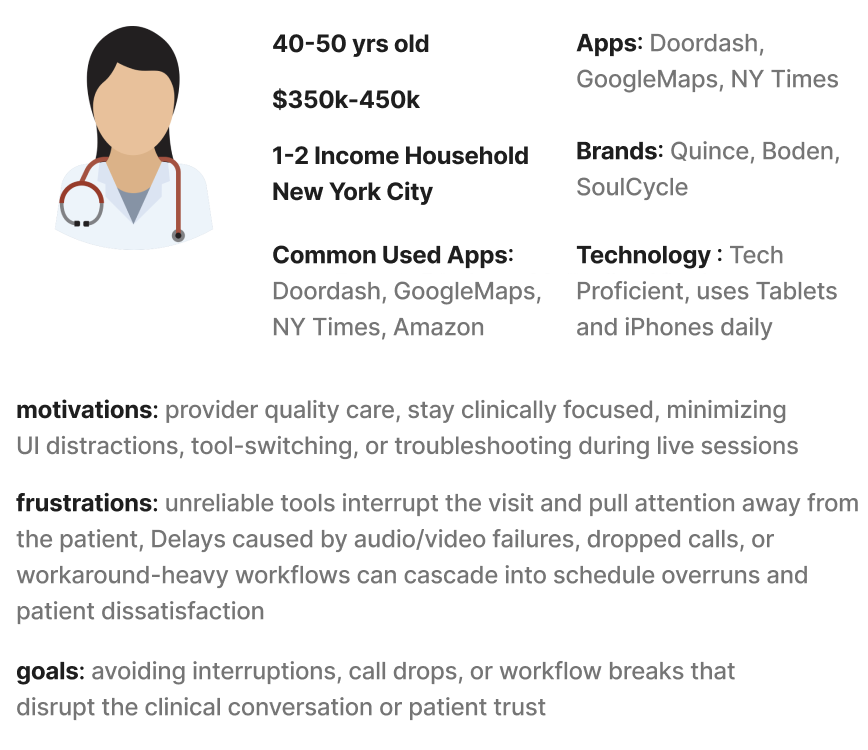
Both the providers and patients were the main user group for this feature, as it would require the provider to initiate the audio to video conversation but would need the patients to walk through the flow.
Goal
Implement a workflow that would allow for audio to video conversation without the need of creating a new session. This functionality currently exists on the bluestream product that will be consolidated by the eVisit platform.
Discovery
Led a discovery workshop with the Program Manager, Head of QA Engineering Lead to map existing audio to video workflow, evaluate current functionality, and identify opportunities for improvement.
Following the completion of our workflow mapping, we developed a proto-persona to guide design decisions and align on user needs.
Key Findings:
Many audio-only sessions started due to connectivity, device readiness, or patient comfort—not because video was unnecessary.
Engineering constraints (permissions, device switching, bandwidth checks) influenced how quickly and reliably conversion could occur. Meaning design needed to align closely with technical realities and surface constraints transparently to providers.
Providers wanted the ability to initiate or suggest video conversion, but not manage troubleshooting during the visit.
Patients differed significantly in device access, technical comfort, and environmental readiness for video.
When video conversion failed or stalled, providers reported decreased confidence in the platform and increased cognitive load.
Providers reported uncertainty around patient readiness during conversion, leading to delayed or avoided video escalation during live visits. Clear conversion status indicators were identified as a requirement to reduce hesitation and improve completion rates.
Research
Best Practices
Conducted a standards and pattern review across telehealth and audio & video conferencing platforms to inform audio to video conversion design decisions.
Key Findings:
Through a cross-platform pattern review, I identified consistent video toggle placements, critical feedback mechanisms, and privacy first cues. These insights informed a design for audio to video conversion that balances discoverability, user control, and patient comfort, therefore bridging telehealth norms with general video conferencing patterns.
Competitive Analysis
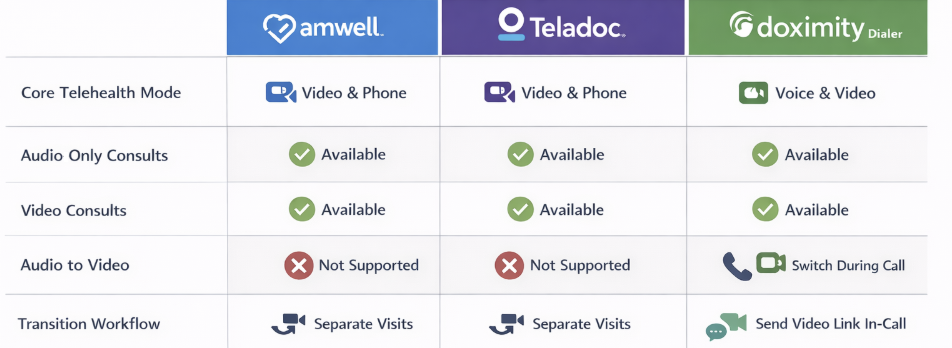
Created a comparative matrix of audio-to-video features across Amwell, Teladoc, and Doximity to guide feature prioritization and design strategy.
Key Findings:
Amwell’s interaction model is video centric from the start, there isn’t a clear invisit convert audio to video option documented in the standard user guidance.
Teladoc treats audio and video as distinct visit entry paths, with less emphasis on seamless mode switching midsession.
Doximity offers the most flexible transition between audio and video among the three, which may be why some health systems use it to quickly escalate a phone touch to visual telehealth.
Ideation
I designed two variations based off our findings and created a usability test to determine which variation would be best for providers.
Ideation 1- Audio to Video via Modals
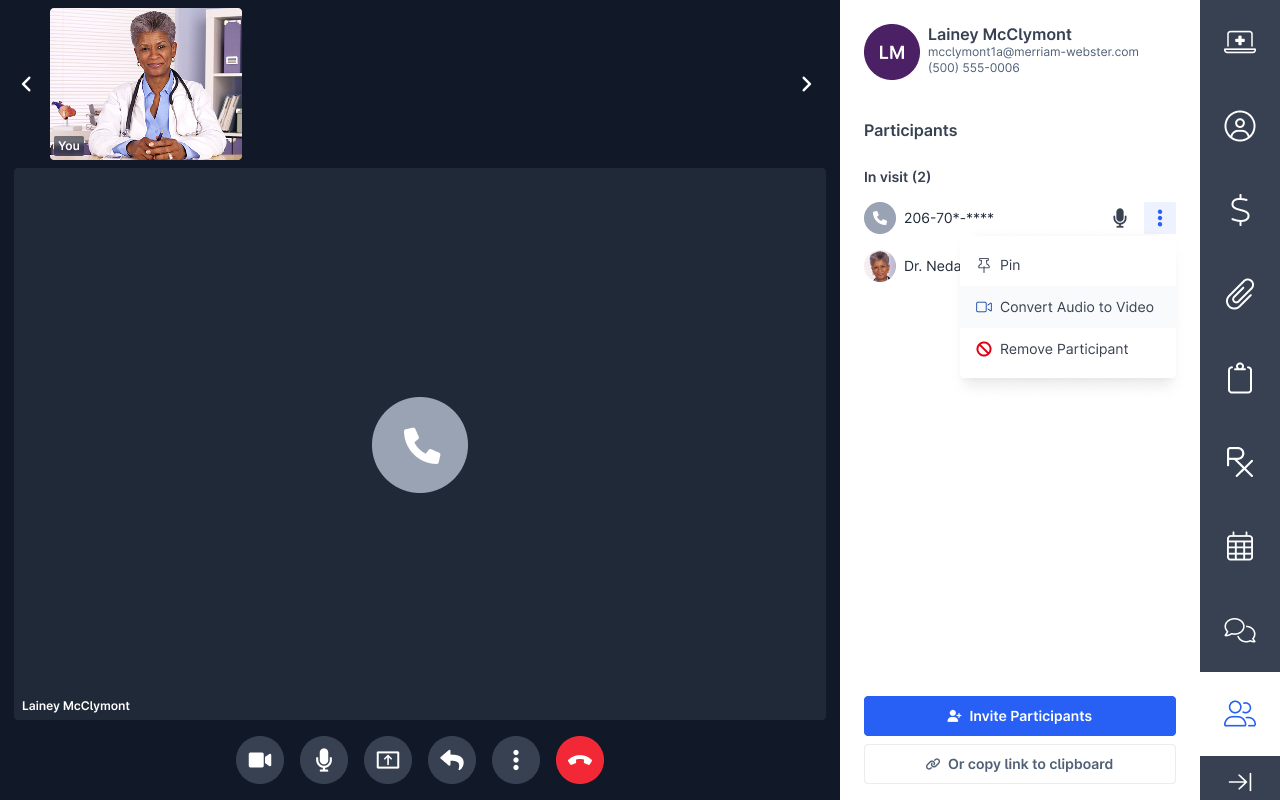
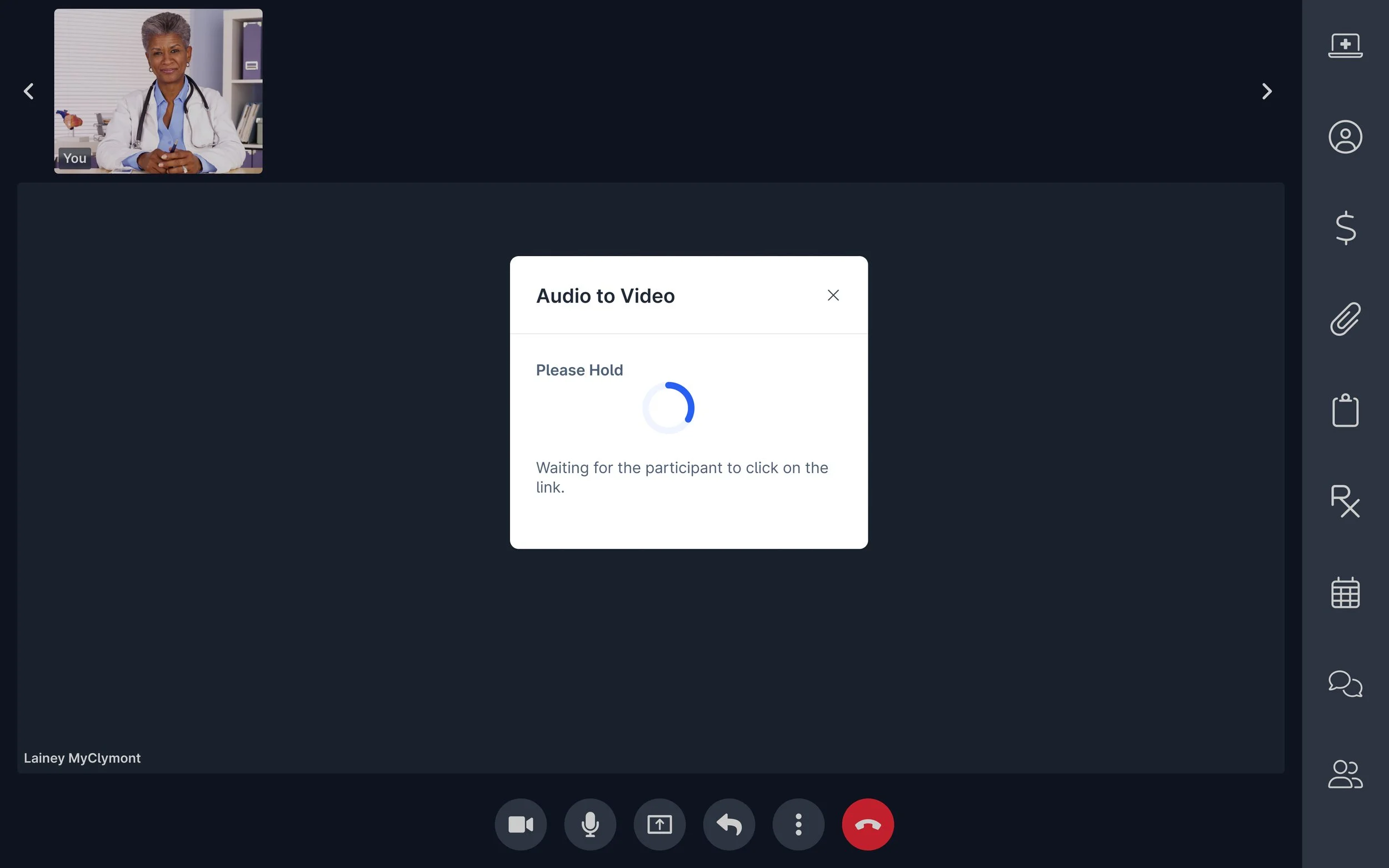
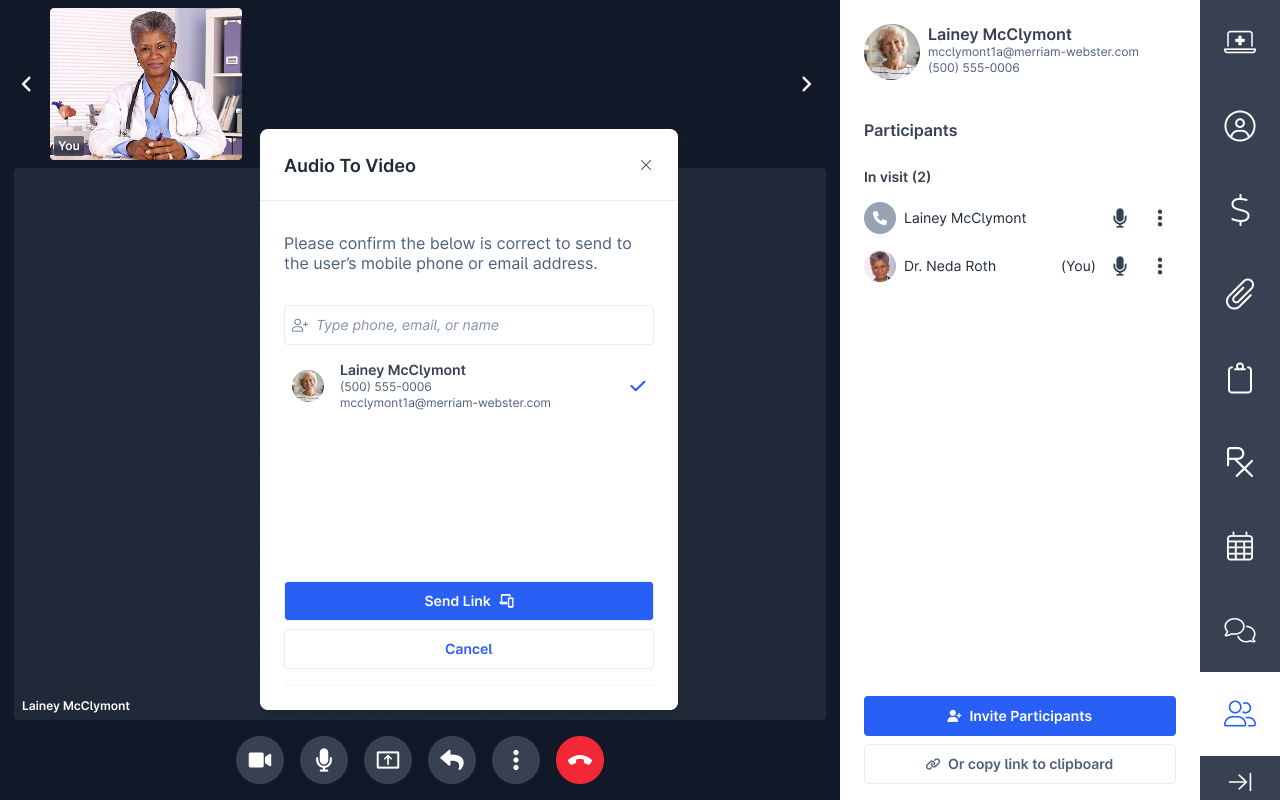
For the initial iteration, I created a happy path provider initiated audio to video experience that used step-by-step modals to guide the provider and maintain patient awareness during the transition.
During evaluation, I realized the modals took up too much of the screen, creating visual clutter and reducing efficiency for the provider. This iteration focused on optimizing the core account workflow, however, I wanted to ensure the design could scale to ad-hoc workflows and maintain provider awareness. I aimed to redesign for adaptability for ad-hoc tasks and maintaining provider visibility throughout.
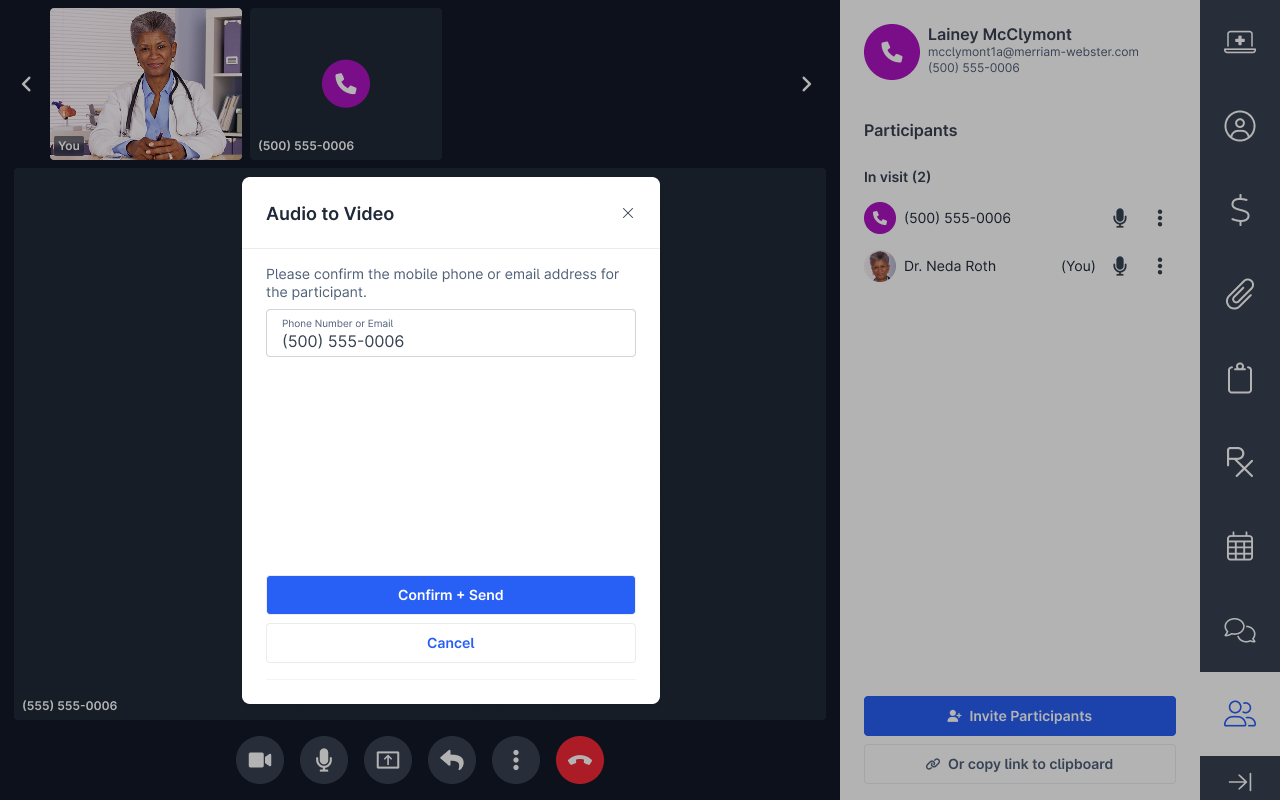
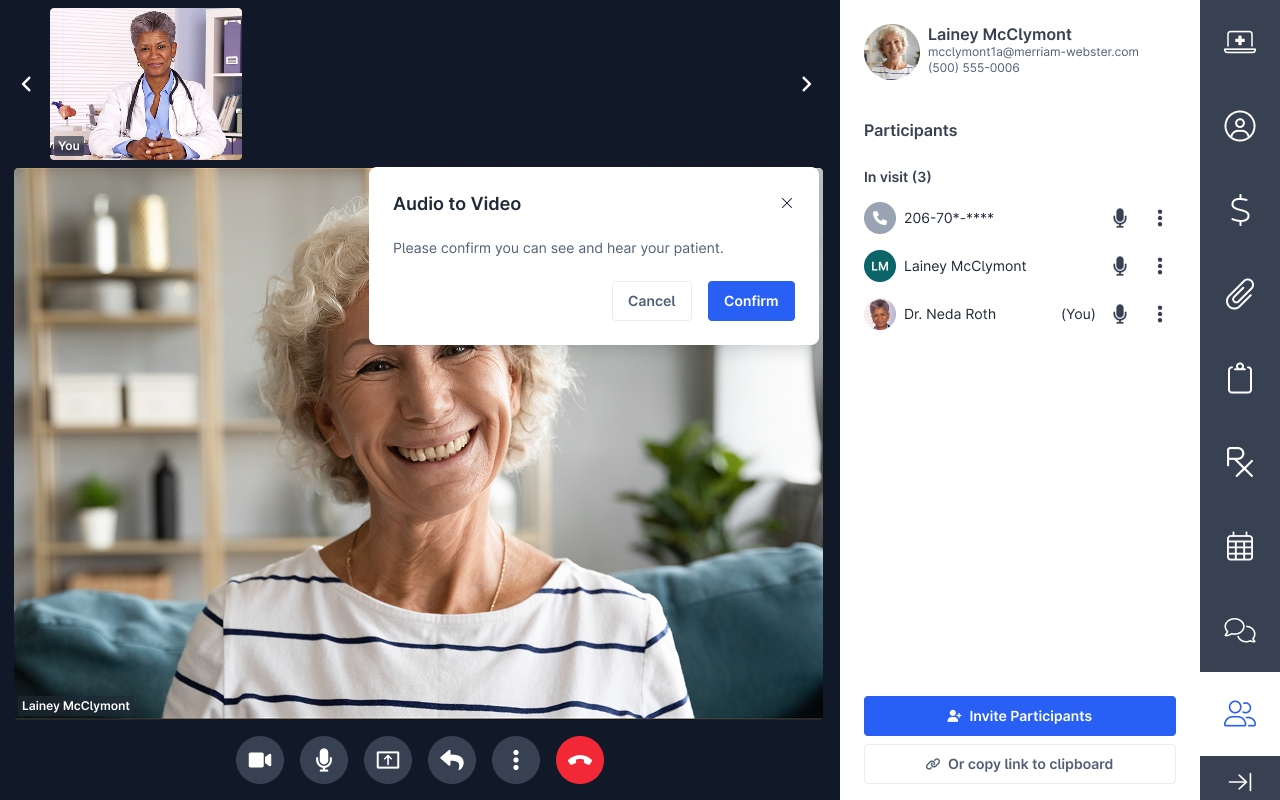


Ideation 2- Audio to Video focus on flexibility and awareness
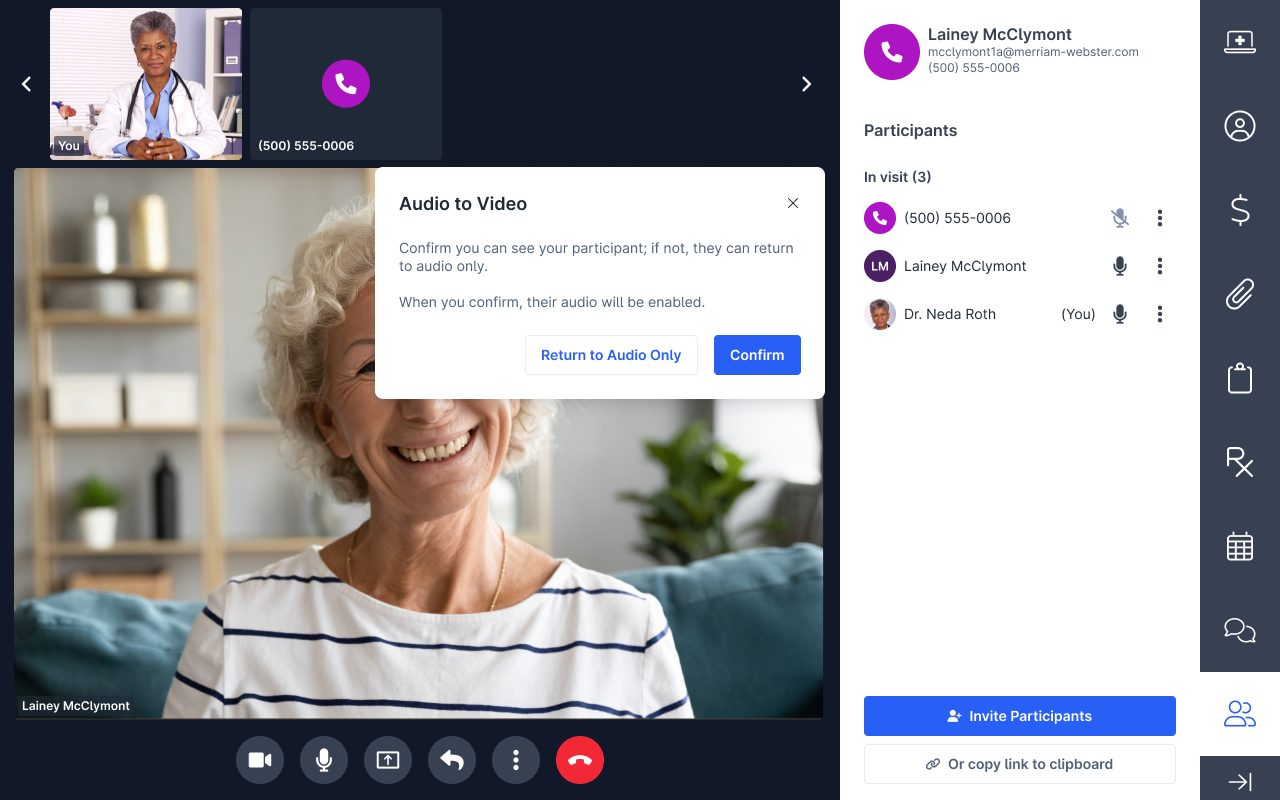
I refined the experience to increase provider awareness, better utilize screen space, and provide fallback options if the audio to video switch failed without losing the original audio only patient connection.
MVP
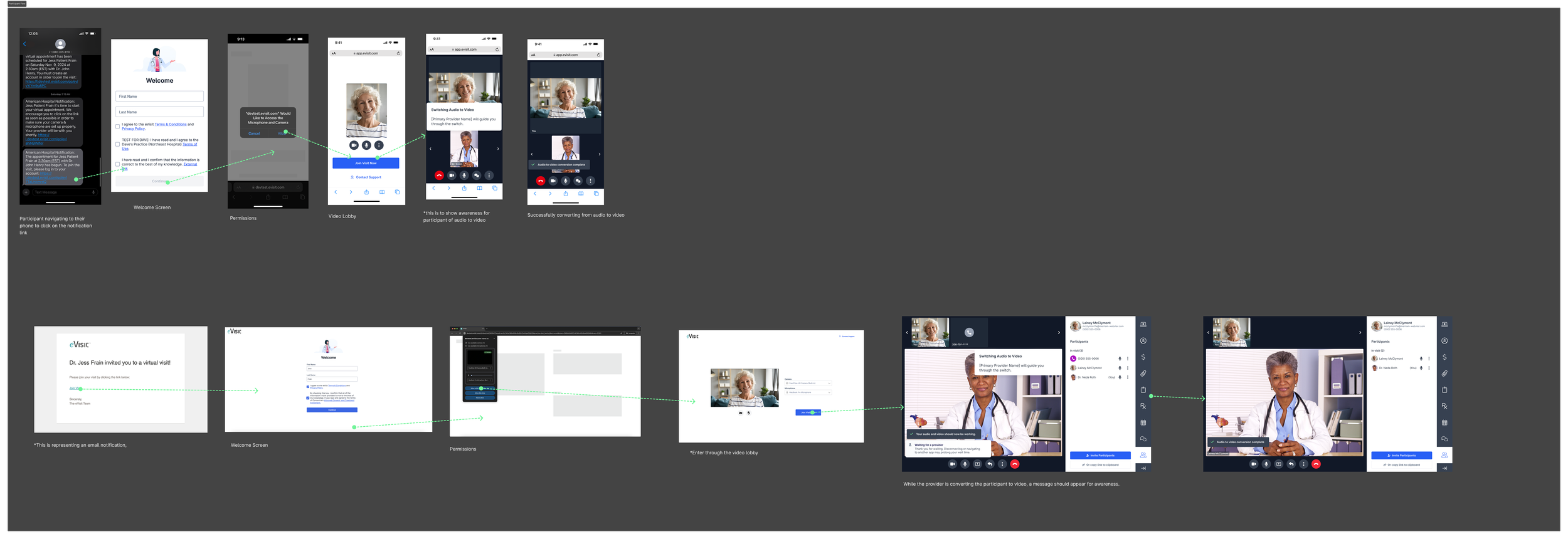
Patient Workflow
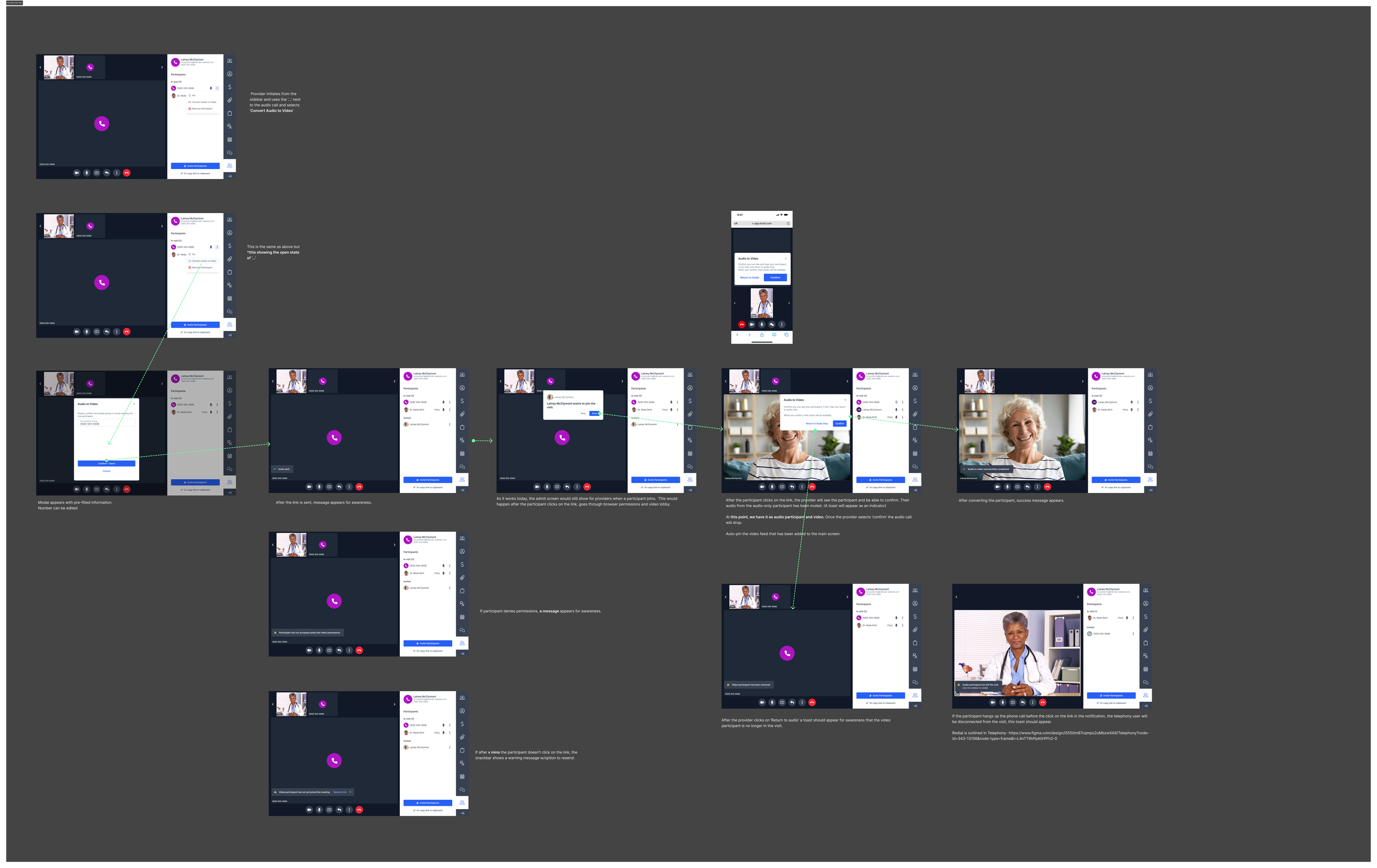
Provider Workflow
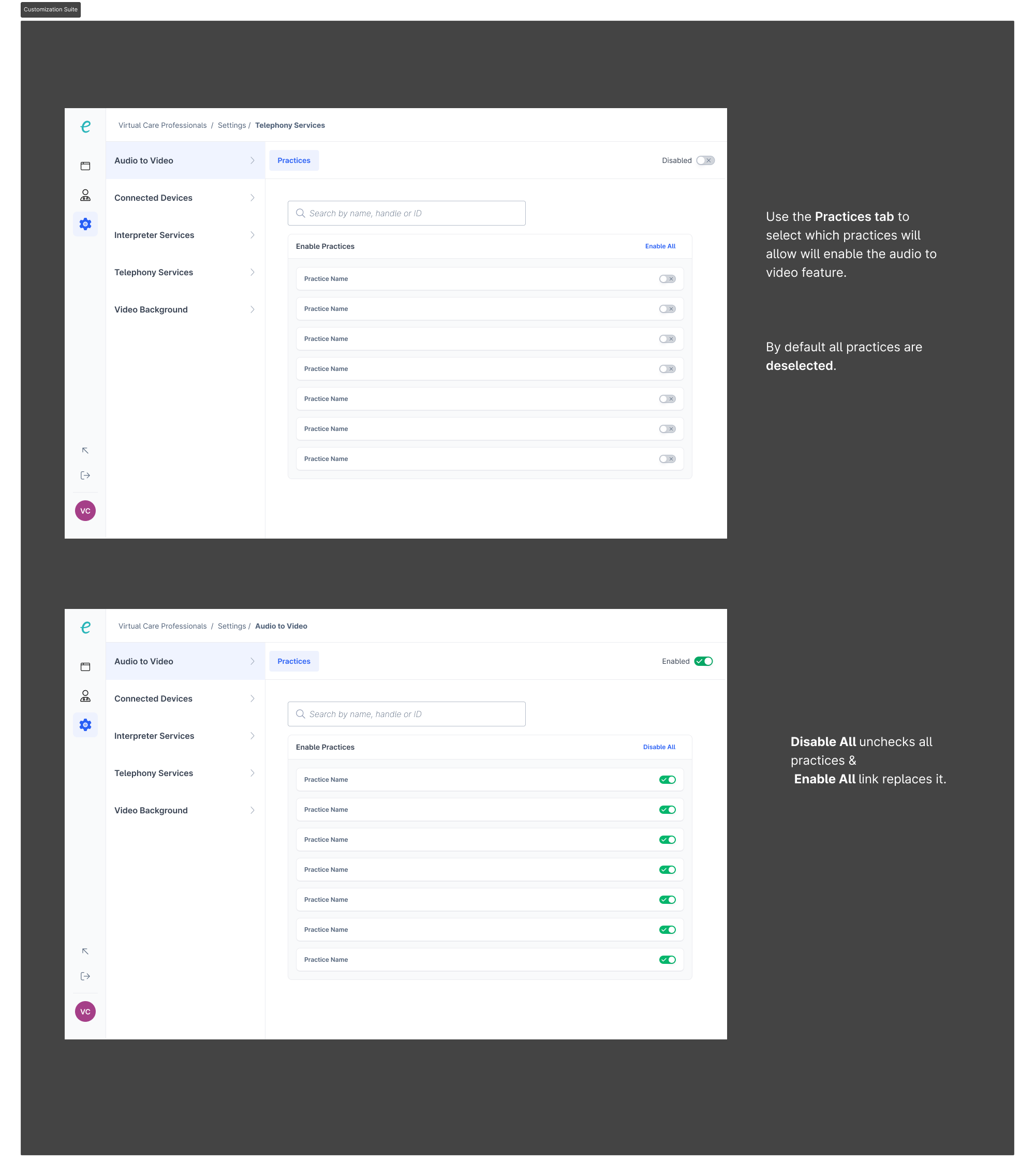
How to configure the setting
Next Steps/ Future Iteration
Explore opportunities for providers to seamlessly switch devices